 clovercoder
Your coding agents, in the notch
Your Claude Code, Codex and Cursor sessions, living in the Mac notch.
Louis-CFM/coucou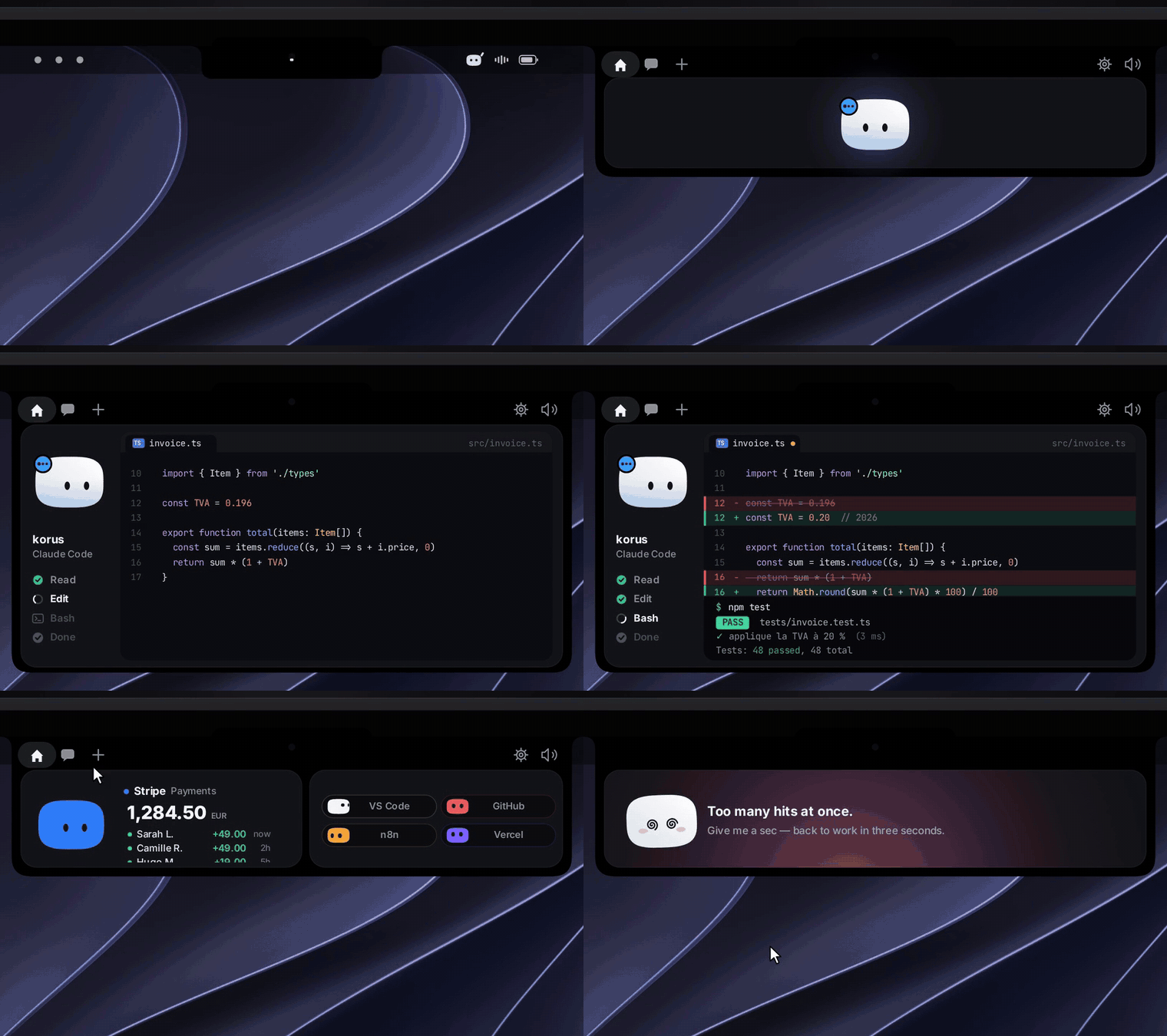
Coucou is an MIT-licensed companion app that lives in your Mac's notch, or along the top edge of the screen on Windows and Linux. It watches your AI coding agents (Claude Code, Codex, Cursor, Gemini CLI and a few others) and lets you answer their permission prompts without switching back to the terminal. If you run long agent sessions and keep losing time to a "can I run this command?" prompt you didn't see, this is the problem it goes after. There's a mascot too, called Mochi.
How it works
For Claude Code, Coucou installs hooks into ~/.claude/settings.json. It backs the file up first and shows you the diff before it writes anything. A small nb-hook script receives the hook events and forwards them over a Unix socket to the app. On Windows the relay is coucou-hook.exe and talks over a named pipe. Linux uses the same relay over a Unix socket.
When an agent asks for permission, the request shows up in the notch with Allow, Deny and Always. The hook waits for your click and then answers the agent. AskUserQuestion prompts show their choices in the notch too, and "Reply in terminal" sends you back to the CLI.
The same requests can go to your phone. On iPhone every Allow needs Face ID. A decision only applies to the exact request it was made for, and a command too long to display can only be approved on the computer. If Coucou isn't running, the hook exits right away, so Claude Code never gets blocked.
Try it
brew install xcodegen
git clone https://github.com/Louis-CFM/coucou.git
cd coucou/NotchBuddy
xcodegen
open NotchBuddy.xcodeproj
That builds it on macOS. You'll need Xcode 16+ and macOS 15+. If you don't want to build it yourself, there are prebuilt zips, MSIs, AppImages and .debs on the Releases page.
My take
The hook design is the part I trust. It shows you the diff before touching your settings, it fails open when the app is down, and approvals are tied to one specific request. That's what you want from a tool that can say yes to shell commands for you.
It also tries to do a lot: dictation, a call notetaker, multi-provider chat, music controls, a weekly recap. Many of those only work on macOS, and so does most of the notch UI. Windows and Linux have no notch, so the island just sits at the top edge. The Windows installer is unsigned, so SmartScreen will warn you. The iPhone app is a TestFlight beta, and several features need your own API keys.
If you're on a Mac and run Claude Code or Codex for hours at a time, try it. If you just want approvals on Linux, it's usable, but most of the polish is on the Mac side.