 clovercoder
Rust rebuilds in milliseconds, not seconds
blaze keeps your Rust project compiled in memory and only recompiles the functions you changed.
indexable-inc/blaze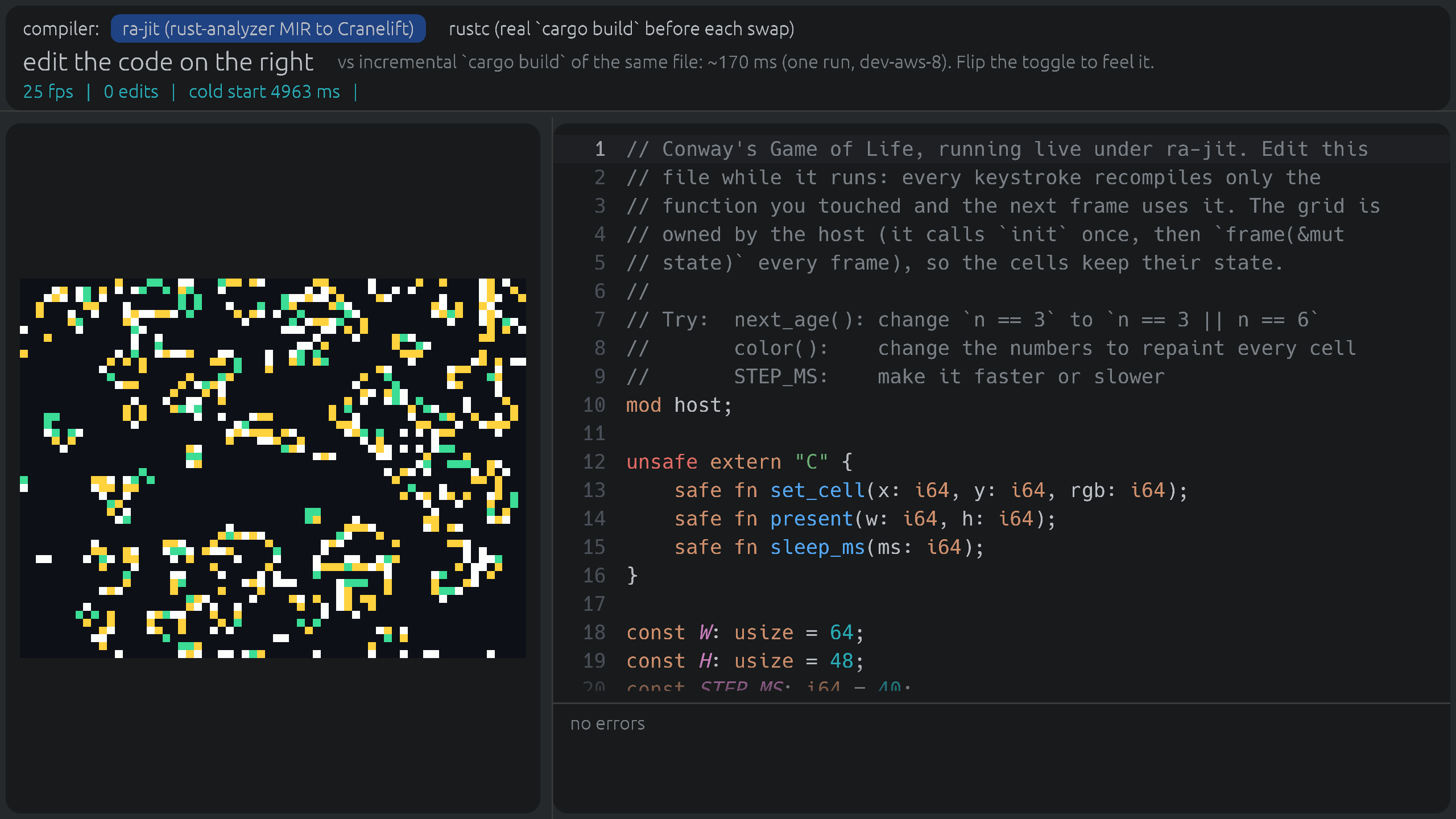
Rust's slow edit-compile loop is a familiar pain. You change one function, wait for cargo, and lose your train of thought. blaze from indexable-inc tackles exactly that. It sits on top of cargo and promises incremental rebuilds in milliseconds instead of seconds. You keep the same commands and put blaze in front of them.
How it works
blaze runs alongside cargo and keeps your project compiled in memory. When you edit a file, it doesn't recompile the crate and relink the whole binary. It recompiles only the functions that changed and patches them into the program that's already built. Programs that opt in can even pick up new code while they're running, which is hot reload for Rust.
The first build still goes through cargo, and then blaze loads the project. After that, rebuilds are incremental and the Finished line says [blaze] so you know which path ran. Any cargo command blaze doesn't handle gets passed straight through to cargo.
The README's numbers are for editing a single function on Linux x86-64. ripgrep goes from 508 ms to 56 ms. helix goes from 2.15 s to 116 ms. bun, at 1.25M lines, drops from 9.11 s to 451 ms. Average speedups are about 10x on Apple silicon, 11x on Linux x86-64 and 24x on Linux aarch64. The headline says "up to 92x", so expect the typical case to be well below that.
Try it
curl -fsSL https://ix.dev/blaze | sh

blaze run     # like cargo run
blaze test    # like cargo test
blaze build   # like cargo build

# demo: editable Game of Life window (needs Nix)
nix run github:indexable-inc/blaze
The install docs also cover crates.io and Nix if you'd rather not pipe curl into sh.
My take
The idea is right. Most of the time in a Rust inner loop goes into work that has nothing to do with the line you just changed. Patching single functions into a live binary is the kind of fix you only get by building on rust-analyzer, Cranelift and salsa instead of fighting rustc. And keeping cargo's commands means trying it costs almost nothing.
The limitations are real, though. It uses a few GB of RAM even on a small project. It builds with its own pinned nightly no matter what toolchain your project pins, and it downloads that toolchain (100 to 135 MB) unless you use rustup's. Windows works but isn't tested in CI. The live-edit demo only runs on Apple silicon Macs. The README itself says the project is young and that cargo check or CI should have the final word.
If you work on a big Rust codebase on macOS or Linux and spend your day in an edit-run loop, it's worth an afternoon. Treat it as a dev-loop tool for now, and keep cargo for release builds.