 clovercoder
Parametric CAD your agent can drive
SolidCraft is parametric CAD in pure Rust, and it ships an MCP server so Claude Code can build parts.
tangency-labs/solidcraft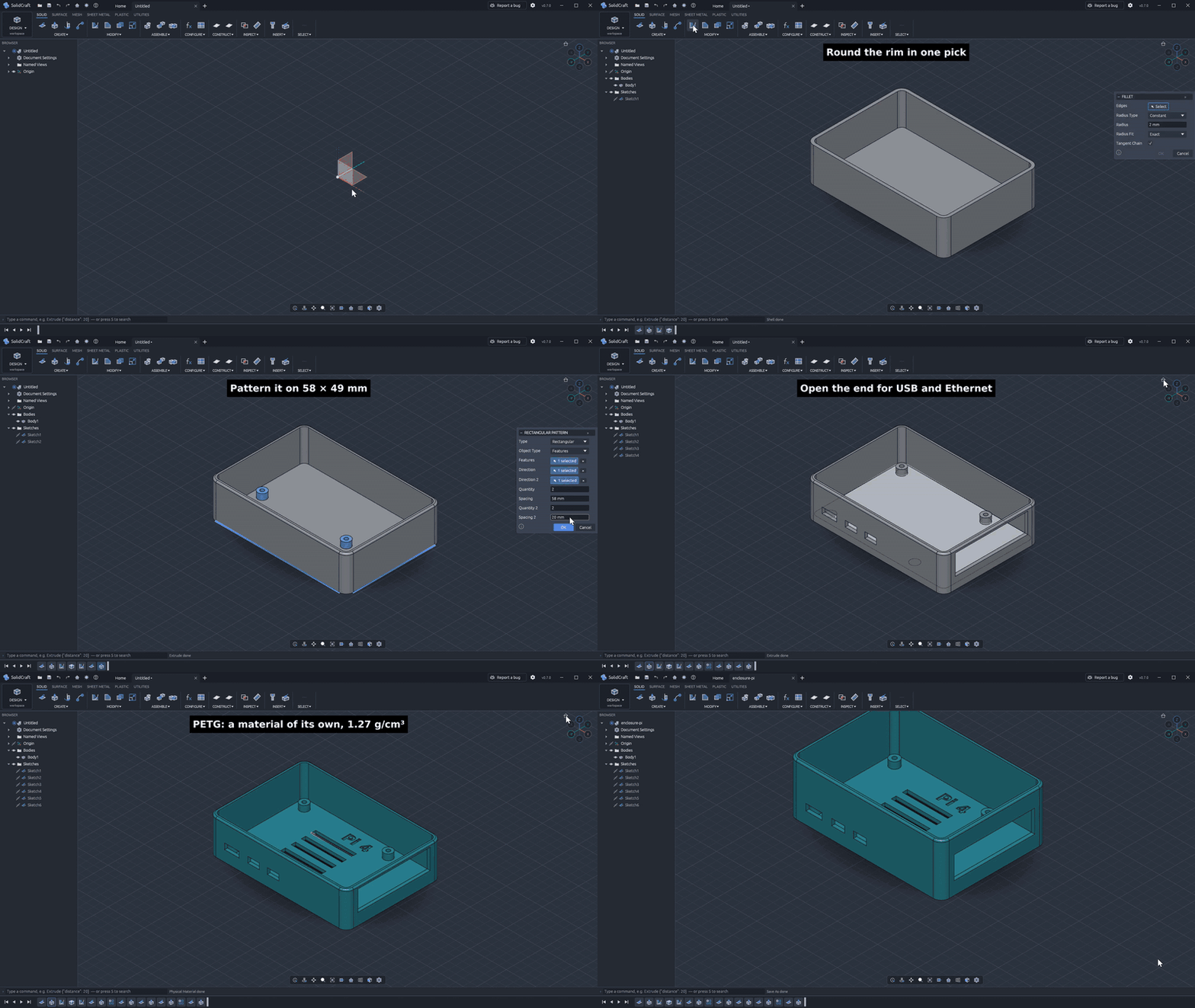
SolidCraft is an open source parametric 3D CAD app written in pure Rust. You sketch 2D shapes, constrain them, and turn them into solids with features that sit on an editable timeline. Change a dimension and the model rebuilds. It runs as a desktop app, in the browser at solidcraft.io/app, as a headless CLI, or as an MCP server so an AI agent can build parts. That last one is why I looked. Most CAD tools give an agent nothing to work with. This one exposes the same commands the UI uses.
How it works
Sketches support lines, arcs, splines and text. The project's own constraint solver solves them, and parameters drive the dimensions. On top of the sketches you get a long list of modeling features: extrude, revolve, sweep, loft, fillet, chamfer, shell, draft, holes, threads, patterns, mirror, split and combine. Parameters and configurations accept unit-aware expressions. There are also assemblies with joints, motion studies, interference checks and mass properties, plus sheet metal and plastic enclosure features.
The design choice I like is that everything goes through one command registry. A script is just a JSON list of the commands the UI runs, and solidcraft-cli run executes it. The MCP server uses those same commands. Run headless, it keeps its own design session. With --connect, it drives the running app so you can watch the agent work. Export covers STEP, IGES, 3MF, STL, OBJ, glTF and URDF.
Try it
# install (or grab the installer / AppImage)
winget install bherbruck.SolidCraft
sudo snap install solidcraft

# from source
cargo run --release -p solidcraft -- --sample
cargo run --release -p solidcraft-cli -- run examples/bracket.json --out bracket.step

# hook it into Claude Code
claude mcp add solidcraft -- solidcraft-cli mcp
The bracket example takes a JSON script and turns it into a STEP file without opening a window.
My take
The project is honest about where it stands. It calls itself early but usable for simple parts. It also publishes a real check: 75 of 76 public reference parts match their expected volume, area, center of mass and bounding box, measured against analytic or FreeCAD-computed values. The one that fails is a tracked bug. I trust that more than a feature list.
Some limits. The installers aren't code-signed yet, so Windows and macOS will warn you on first launch. If you're on versions 0.11 to 0.14, you have to download the update by hand once. The README doesn't say what geometry kernel it uses or how the solver works, so you'll need to read the code if that matters to you.
Who should care: anyone building agents that need to produce real geometry, people who want scriptable CAD with diffable JSON, and Rust devs looking for a serious codebase to contribute to. It's dual-licensed MIT or Apache-2.0. If you're doing production mechanical design, I'd keep it next to your main tool for now, not in place of it.